

- Nov 9, 2025
- 9
- 13
hi !! this is my first time actually posting here. apologies if the formatting sucks.
for a long time, i've been looking for ways to play unlocalized otomes. i am unfortunately impatient. i've tried lunatranslator with emulators but my back always hurts when i use my pc for long hours. i tried playtranslate recently but my android device isn't really cut out for it because it's old TT i've always wanted something that would work on a modded switch, especially as someone who tinkers with it a lot.
after what felt like years of looking, i finally found one for modded switches! i'll be posting this here just in case there's also other people with modded switches who have been looking for something like this.
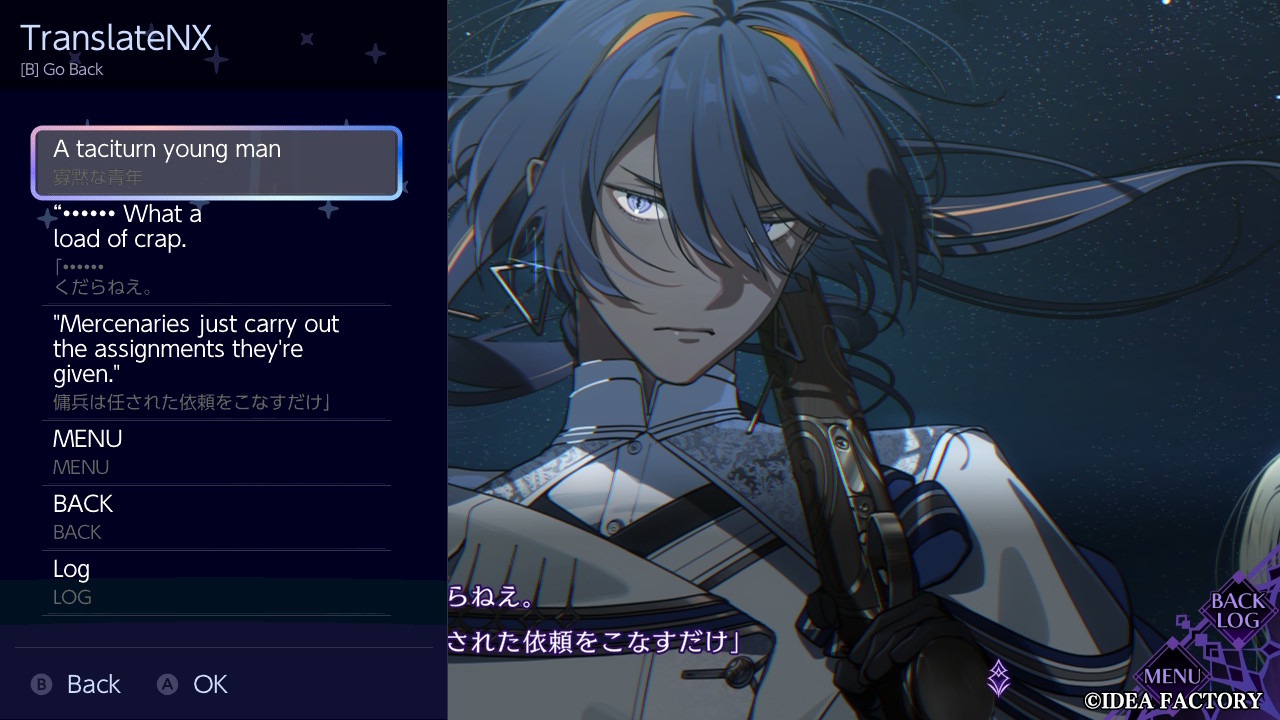
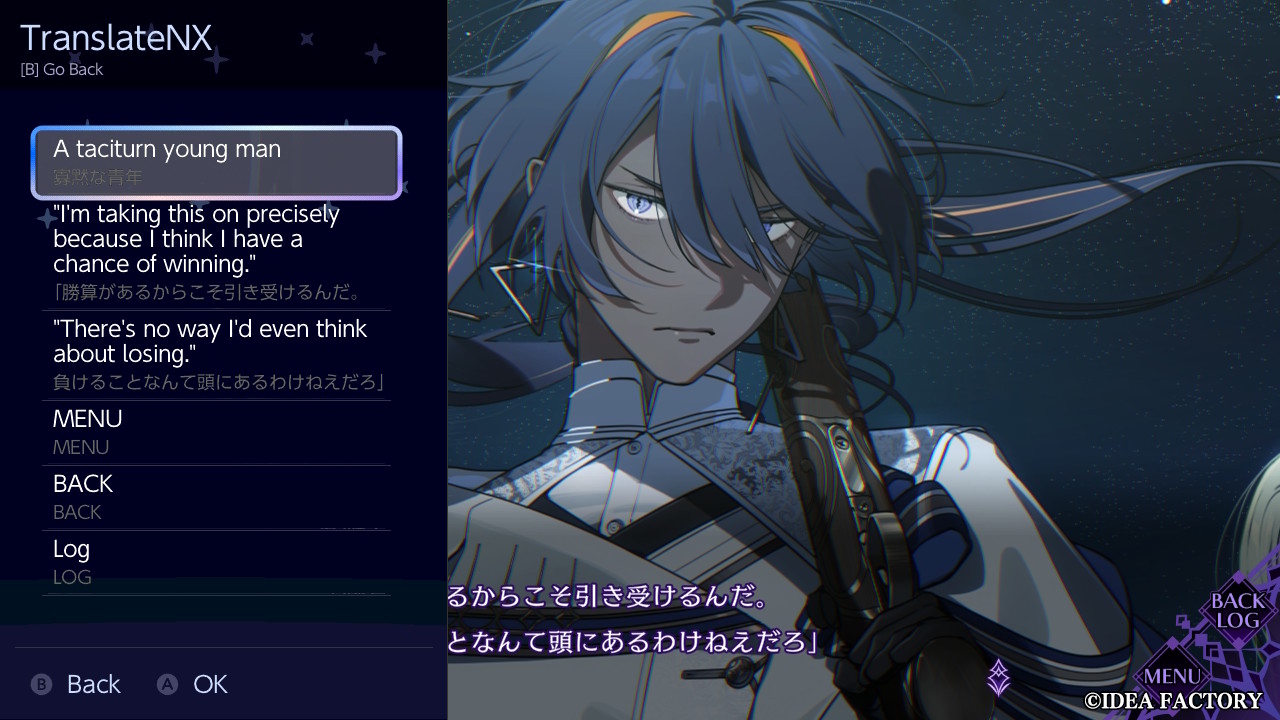
(CRAZY CHAIN promo/intro CG)
TranslateNX
is a revolutionary real-time translation overlay for the Nintendo Switch. It seamlessly reads text directly from your games and translates it on-the-fly, breaking language barriers without needing any game-specific patches or mods.
Requirements
Must have Ultrahand Overlay & nx-ovlloader for this to work.
FeaturesReal-time Translation: Translate on-screen game text instantly.
OCR Technology: Directly reads text from the screen, no game mods required.
Wide Language Support: Support for 104 different languages.
Practical Use: Translate quickly without leaving the game using the UltraHand Overlay menu.
Multiple Service Options: Supports Google Cloud Vision, OCR.space, DeepL, Google Cloud Translate, and MyMemory.
i have a v1 patched switch and it works smoothly for me. had to deal with some troubleshooting though but it was more about my switch itself rather than the app, i believe.
i haven't fully tested it out yet, though i've managed to try it out for a while. here are my thoughts. i might add into this once i put in some hours or even finish a game. (i just really wanted to share this aha )
)
for me, it's honestly already pretty good with the limited options you can do with a switch.
for a long time, i've been looking for ways to play unlocalized otomes. i am unfortunately impatient. i've tried lunatranslator with emulators but my back always hurts when i use my pc for long hours. i tried playtranslate recently but my android device isn't really cut out for it because it's old TT i've always wanted something that would work on a modded switch, especially as someone who tinkers with it a lot.
after what felt like years of looking, i finally found one for modded switches! i'll be posting this here just in case there's also other people with modded switches who have been looking for something like this.
(CRAZY CHAIN promo/intro CG)
TranslateNX
is a revolutionary real-time translation overlay for the Nintendo Switch. It seamlessly reads text directly from your games and translates it on-the-fly, breaking language barriers without needing any game-specific patches or mods.
Requirements
Must have Ultrahand Overlay & nx-ovlloader for this to work.
Features
OCR Technology: Directly reads text from the screen, no game mods required.
Wide Language Support: Support for 104 different languages.
Practical Use: Translate quickly without leaving the game using the UltraHand Overlay menu.
Multiple Service Options: Supports Google Cloud Vision, OCR.space, DeepL, Google Cloud Translate, and MyMemory.
(information from gbatemp)
i have a v1 patched switch and it works smoothly for me. had to deal with some troubleshooting though but it was more about my switch itself rather than the app, i believe.
i haven't fully tested it out yet, though i've managed to try it out for a while. here are my thoughts. i might add into this once i put in some hours or even finish a game. (i just really wanted to share this aha
)PROS
- translation speed is smooth. i've tried both deepL and google cloud translate— they're fairly the same speed as lunatranslator. (at least to me)
- straightforward set-up. easily good to go once you figure it out. obviously, i had to do some troubleshooting, but it was my switch that had the problem and not the app/overlay itself.
- works in-game, real time. you just have to open the overlay and that's it. really saves me time from manually translating with my phone back then.
CONS
- inability to control OCR area. you can't choose which parts it has to translate. it translates the full screen. translations for UI text elements will also pop up, but it's easy to ignore. (depends on the game though)
- you have to access/toggle the overlay manually. it was easy to get used to, to be honest. only had to change the shortcut buttons for ultrahand so translation is more accessible. still, it would be better if the text pops up automatically on-screen like lunatranslator. (i believe the dev wants to update this soon!)
- must be familiar with ultrahand/modded switches in general. set-up heavily relies on ultrahand as an in-game overlay. it will be straightforward but i believe it might be difficult for those who don't really tinker with what modded switches can do.
- there isn't much stuff yet because it's new. troubleshooting might be complicated since there's also not much reviews yet.
- HOWEVER, the creator is fairly active and looks to be currently pushing to improve the app, so i think that's a win. they also actively reply on their gbatemp thread.
for me, it's honestly already pretty good with the limited options you can do with a switch.


