- Dec 30, 2018
- 27,024
- 6,315
I decided to make a simple guide on how to download files from usersdrive.com so I can later link this thread to any members who downloaded the wrong file since I've seen quite a few do so.
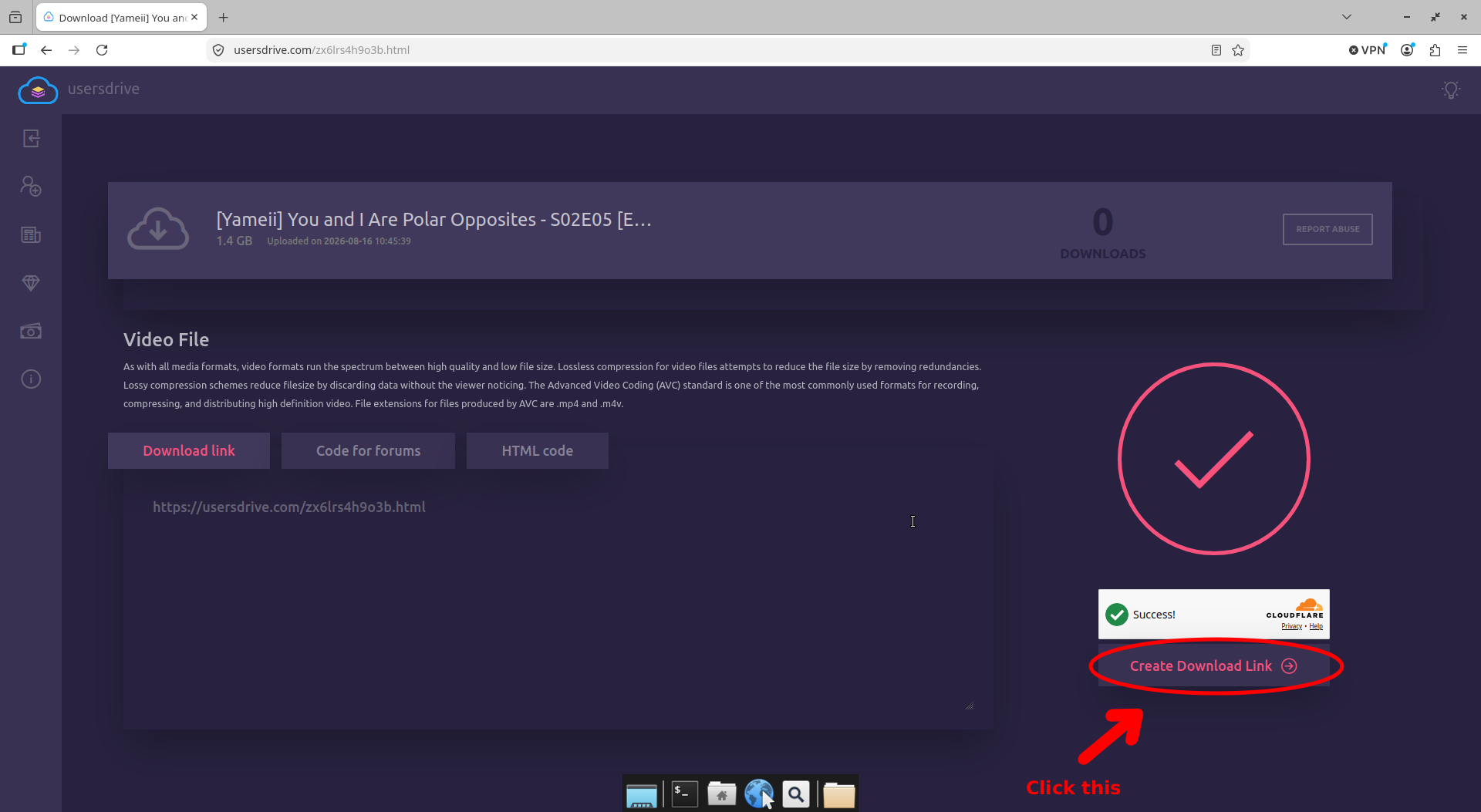
1. First is to wait for the count down then tick box the cloudflare box and lastly click "Create Download Link"

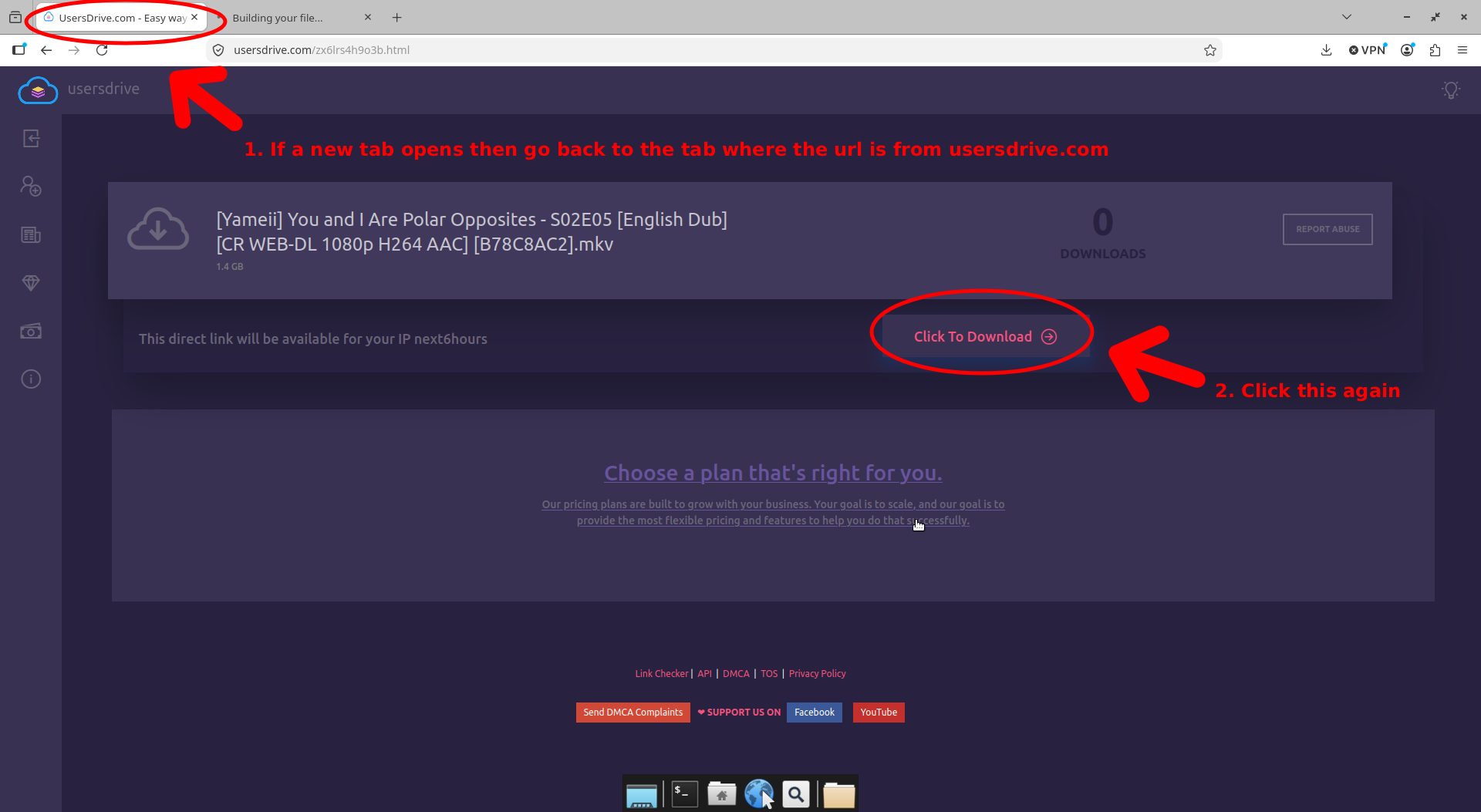
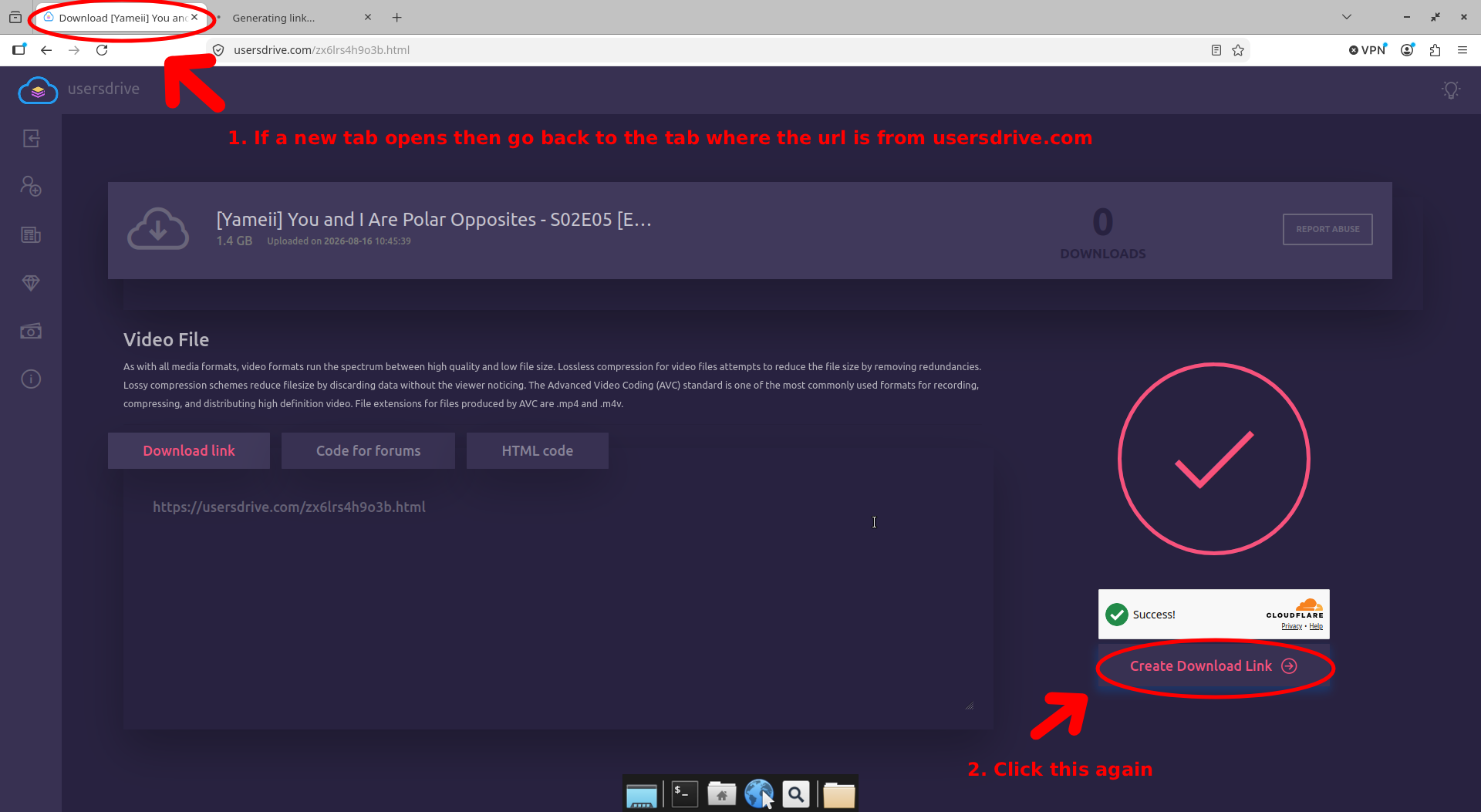
2. This step is important cause this is where users download the wrong file. If it opens a new tab then go back to the tab where the url is from usersdrive.com and then click "Create Download Link" again.

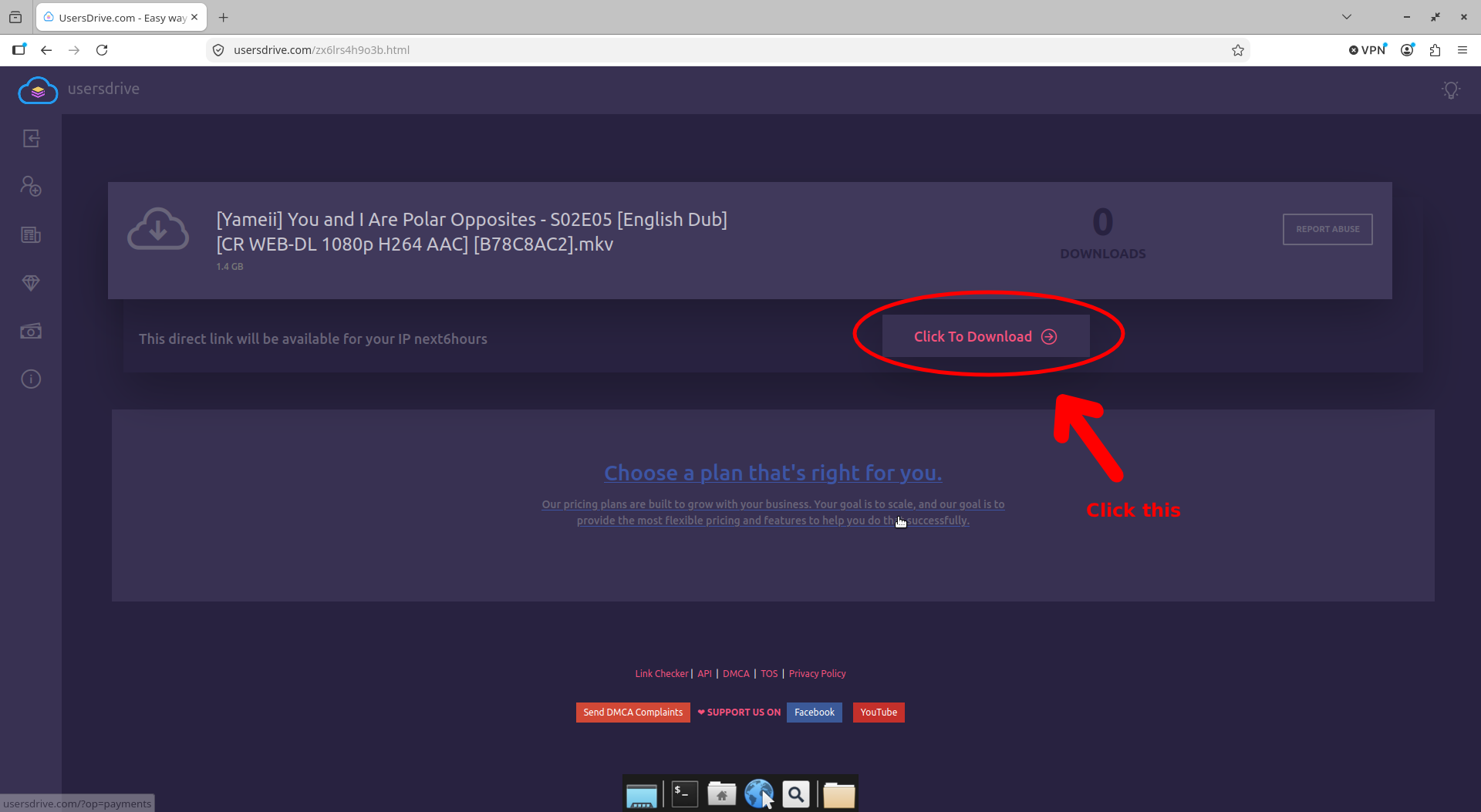
3. Click the "Click to Download" button

4. If it opens a new tab then go back to the tab where the url is from usersdrive.com and then click "Click to Download" button again.

1. First is to wait for the count down then tick box the cloudflare box and lastly click "Create Download Link"
2. This step is important cause this is where users download the wrong file. If it opens a new tab then go back to the tab where the url is from usersdrive.com and then click "Create Download Link" again.
3. Click the "Click to Download" button
4. If it opens a new tab then go back to the tab where the url is from usersdrive.com and then click "Click to Download" button again.