

- Jul 15, 2022
- 124
- 155
I've recently found a random tutorial on a Steam page that turned out to work for OverRequiemZ as an experiment
This is because OverRequiemZ is built on Unity Engine.
This is for the purposes of adding letters and symbols missing from the game fonts (such as áéíóú¿ñ¡ and the sort), as Unity games rely on having a premade font atlas image.
If anything happens to this page, this is the general process (I don't know how to use web archive ):
):
*I've also added some steps and details, since there are lots of things that I still struggled around
1. Dump OverRequiemZ copy. As a fun fact, dumps can be also done through emulators ("Volcar RomFS" is what it is named for me in Eden. I suppose it has to be something like "Dump RomFS" in the english version of Eden).
2. Look for the font file. OverReq has it in StreamingAssets/switch, a file named "font". In the tutorial from the page, it is found in "resources.assets".
3. Ideally use UABEA for this (also works on Linux). Look for Monobehaviour type file related to the font (usually has SDF in name), click it and press "Export dump"
4. UABEA lets you know Unity version used for the game through "Tools > info". You will need to use this same Unity version to make the new replacement font.
Sidenote: OverRequiemZ has both a Japanese font atlas and an English font atlas. I've personally tested replacing the English font atlas with the new Spanish one.
In OverRequiemZ case, it is Unity 2021.3.43f1
5. After installing Unity, create a basic 3D project ("3D (Built-In Render Pipeline)").
6. I've chose to download Noto Serif font from internet, since it has Spanish support and looks close to the English font in-game. Look for CJK fonts in general.
7. Open created Unity project, go to Window > TextMeshPro > Font Asset Creator. Import font there. In Character set, you can choose "Custom characters" and add every letter needed for Spanish font (The whole alphabet in lower and upper case plus accents, ñ, and all symbols used for grammar, like ¿?¡!() and so on)
Here is what I test, except some characters are still missing there (like °):
aábcdeéfghiíjklmnñoópqrstuúüvwxyzAÁBCDEÉFGHIÍJKLMNÑOÓPQRSTUÚÜVWXYZ¡!¿?"{}()[]*+-/#|\@%~=.,;:&^$'<>
9. You'll save the file in "Assets/TextMeshPro/Resources/Fonts & Materials" inside your Unity project.
10. Press the new file you saved inside Unity, look at the Inspector on the right side and press the three dots next to the title of the file > Extract Atlas
11. Build your project.
12. You can close Unity now. Go to UABEA and open the "resources.assets" in it. Export the Monobehaviour of the font with "Export dump" and the atlas image through Plugins > Export texture
13. I have not tried the manual process mentioned in the page, but I did try the script in there and it works :)
I'll be leaving the script in the Steam page, as it is not mine. In case it goes down, I'm keeping the script in my storage.
As an example, this is how would OverReq patch files would look like in the modded Switch files:
SDCard/atmosphere/contents/[titleid of game. It is 0100E9801CAC2000 for overreq]/romfs/
and then for fonts, Data/StreamingAssets/switch
The game dialogue scripts also go in there, the file is named "script".
I don't know much japanese enough to give a proper fan patch, as I have been testing around with translation tools. But I think this can help someone who has interest in doing fan patches for otome, as we have a lot of otome that never received localization for years.
I've first attempted this past year to no luck, before Aksys made the official announcement. And mostly gave up until I randomly found that page
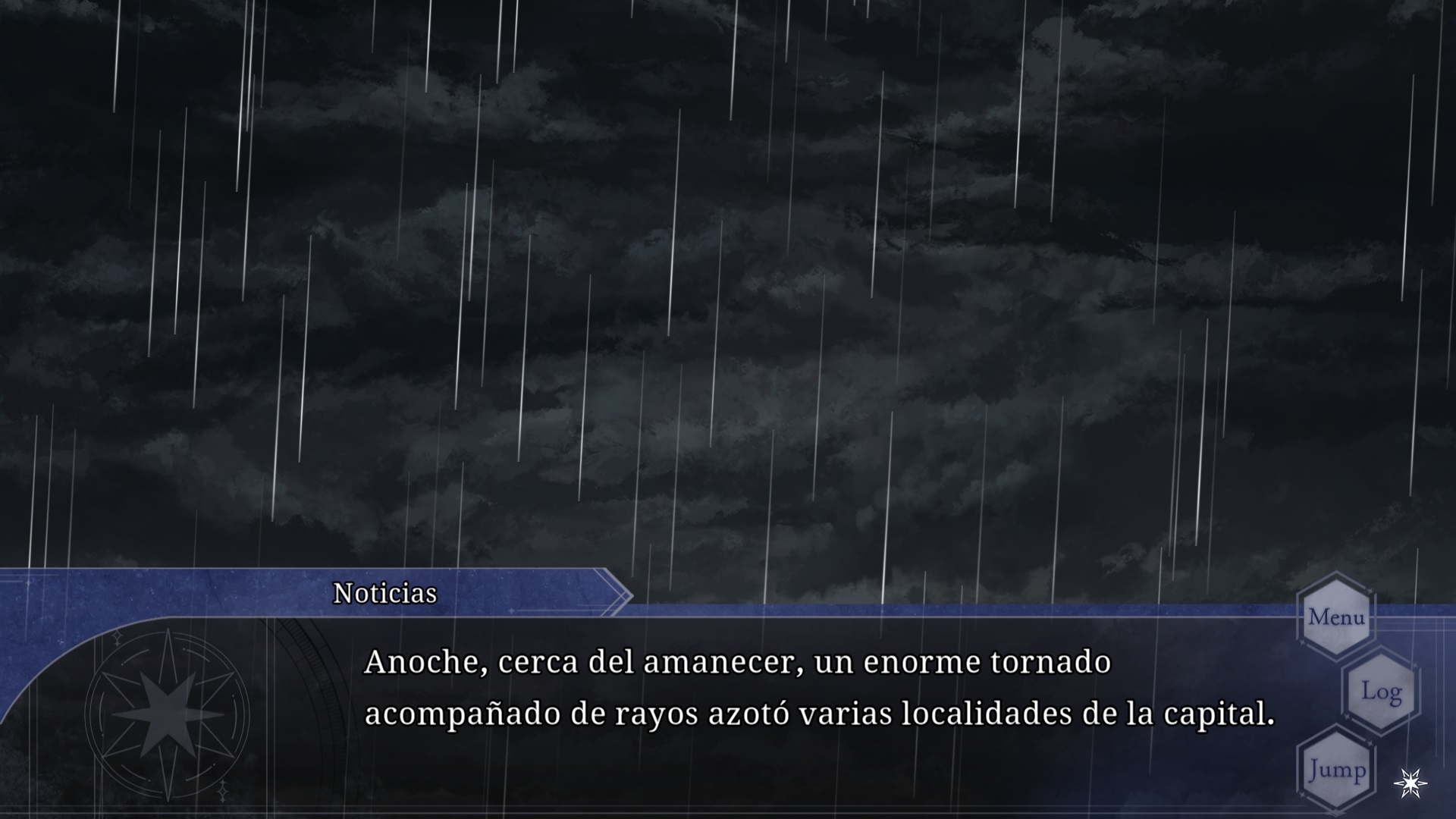
This is because OverRequiemZ is built on Unity Engine.
This is for the purposes of adding letters and symbols missing from the game fonts (such as áéíóú¿ñ¡ and the sort), as Unity games rely on having a premade font atlas image.
Code:
https://steamcommunity.com/sharedfiles/filedetails/?id=3460760601If anything happens to this page, this is the general process (I don't know how to use web archive
): *I've also added some steps and details, since there are lots of things that I still struggled around
1. Dump OverRequiemZ copy. As a fun fact, dumps can be also done through emulators ("Volcar RomFS" is what it is named for me in Eden. I suppose it has to be something like "Dump RomFS" in the english version of Eden).
2. Look for the font file. OverReq has it in StreamingAssets/switch, a file named "font". In the tutorial from the page, it is found in "resources.assets".
3. Ideally use UABEA for this (also works on Linux). Look for Monobehaviour type file related to the font (usually has SDF in name), click it and press "Export dump"
4. UABEA lets you know Unity version used for the game through "Tools > info". You will need to use this same Unity version to make the new replacement font.
Sidenote: OverRequiemZ has both a Japanese font atlas and an English font atlas. I've personally tested replacing the English font atlas with the new Spanish one.
In OverRequiemZ case, it is Unity 2021.3.43f1
5. After installing Unity, create a basic 3D project ("3D (Built-In Render Pipeline)").
6. I've chose to download Noto Serif font from internet, since it has Spanish support and looks close to the English font in-game. Look for CJK fonts in general.
7. Open created Unity project, go to Window > TextMeshPro > Font Asset Creator. Import font there. In Character set, you can choose "Custom characters" and add every letter needed for Spanish font (The whole alphabet in lower and upper case plus accents, ñ, and all symbols used for grammar, like ¿?¡!() and so on)
Here is what I test, except some characters are still missing there (like °):
aábcdeéfghiíjklmnñoópqrstuúüvwxyzAÁBCDEÉFGHIÍJKLMNÑOÓPQRSTUÚÜVWXYZ¡!¿?"{}()[]*+-/#|\@%~=.,;:&^$'<>
- Please also manually add a non-breaking space (Unicode: \u00A0). It looks exactly like a common space (like the one I'm using to write this post and the one everyone is used to), as I struggled making normal spaces work for dialogues. OverRequiemZ takes normal spaces for line breaks for some reason.
- I've tried to copy non-breaking spaces in this post, but for some reason I can't make it work Anyways, it is also Alt + 0160 on Windows.
- OverRequiemZ uses a 512*512 image, and I've also used this for the Spanish font. I've personally used a custom sampling point size of 32.
- I've also left the default padding number as 5.
9. You'll save the file in "Assets/TextMeshPro/Resources/Fonts & Materials" inside your Unity project.
10. Press the new file you saved inside Unity, look at the Inspector on the right side and press the three dots next to the title of the file > Extract Atlas
11. Build your project.
12. You can close Unity now. Go to UABEA and open the "resources.assets" in it. Export the Monobehaviour of the font with "Export dump" and the atlas image through Plugins > Export texture
13. I have not tried the manual process mentioned in the page, but I did try the script in there and it works :)
I'll be leaving the script in the Steam page, as it is not mine. In case it goes down, I'm keeping the script in my storage.
- If you're testing if font works inside game, and you don't like the size or the line spacing, you can try testing some different values in float m_LineHeight = 43,584 (for line spacing) and float m_Scale = 1 (for overall size) inside the monobehaviour file.
- If these aren't changing when modifying the new Spanish font monobehaviour, it highly likely has to do with the monobehaviour from the japanese font. I've tested modifying the m_LineHeight from Japanese font, and the line spacing looked better for my spanish font.
As an example, this is how would OverReq patch files would look like in the modded Switch files:
SDCard/atmosphere/contents/[titleid of game. It is 0100E9801CAC2000 for overreq]/romfs/
and then for fonts, Data/StreamingAssets/switch
The game dialogue scripts also go in there, the file is named "script".
I don't know much japanese enough to give a proper fan patch, as I have been testing around with translation tools. But I think this can help someone who has interest in doing fan patches for otome, as we have a lot of otome that never received localization for years.
I've first attempted this past year to no luck, before Aksys made the official announcement. And mostly gave up
until I randomly found that page 